This rule is used when one wants the invitation to popup on screen, if a visitor is from a city whose name is specified in the rule.
1.To configure this rule following are the parameters.
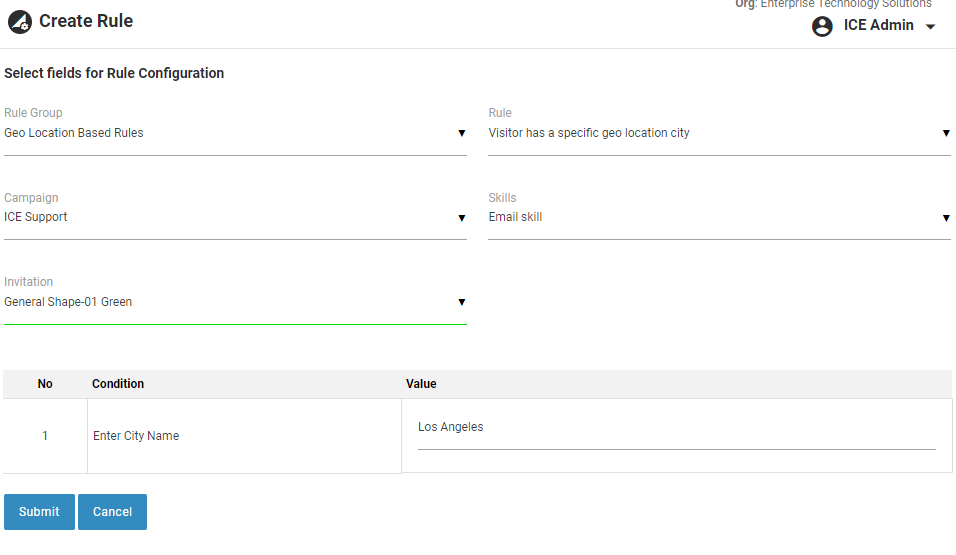
Create- Visitor has a specific Geo location city
Once configured, this rule will be triggered and a popup will come on the screen as soon as a visitor from Los Angeles city visits the website.
2.Click  button to save the rule. A confirmatory message stating Rule is created successfully is displayed.
3.Click  button to return to the previous page.
4.The newly created rule is displayed in the grid as shown in the screen below.
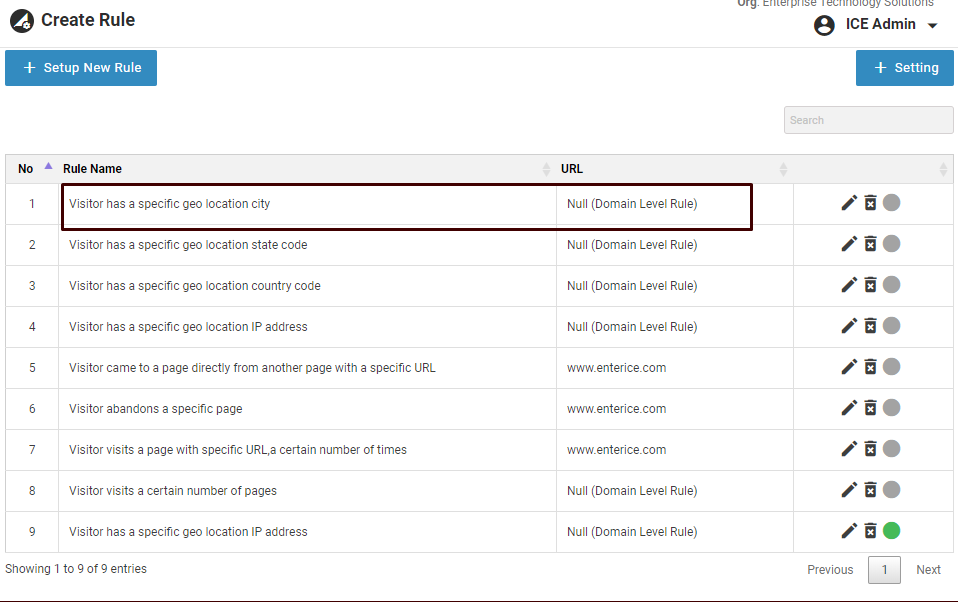
Created- Visitor has a specific Geo location city
5.By default, the rule is in disabled state. One can enable it by clicking on  icon.
icon.
6.Click  icon to edit the created rule and the following screen appears.
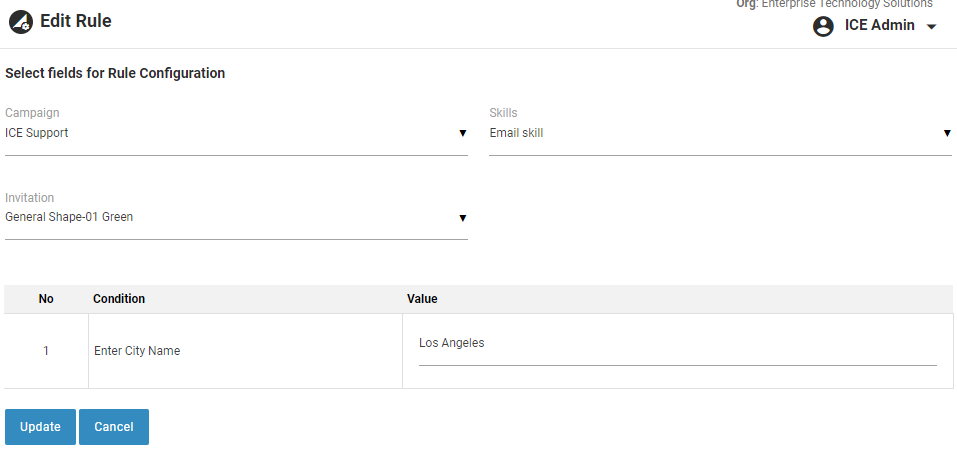
Edit- Visitor has a specific Geo location city
7.Once the changes are done click  button to update the configurations. A confirmatory message stating rule updated successfully will be displayed.
8.Click button to return to the previous page.